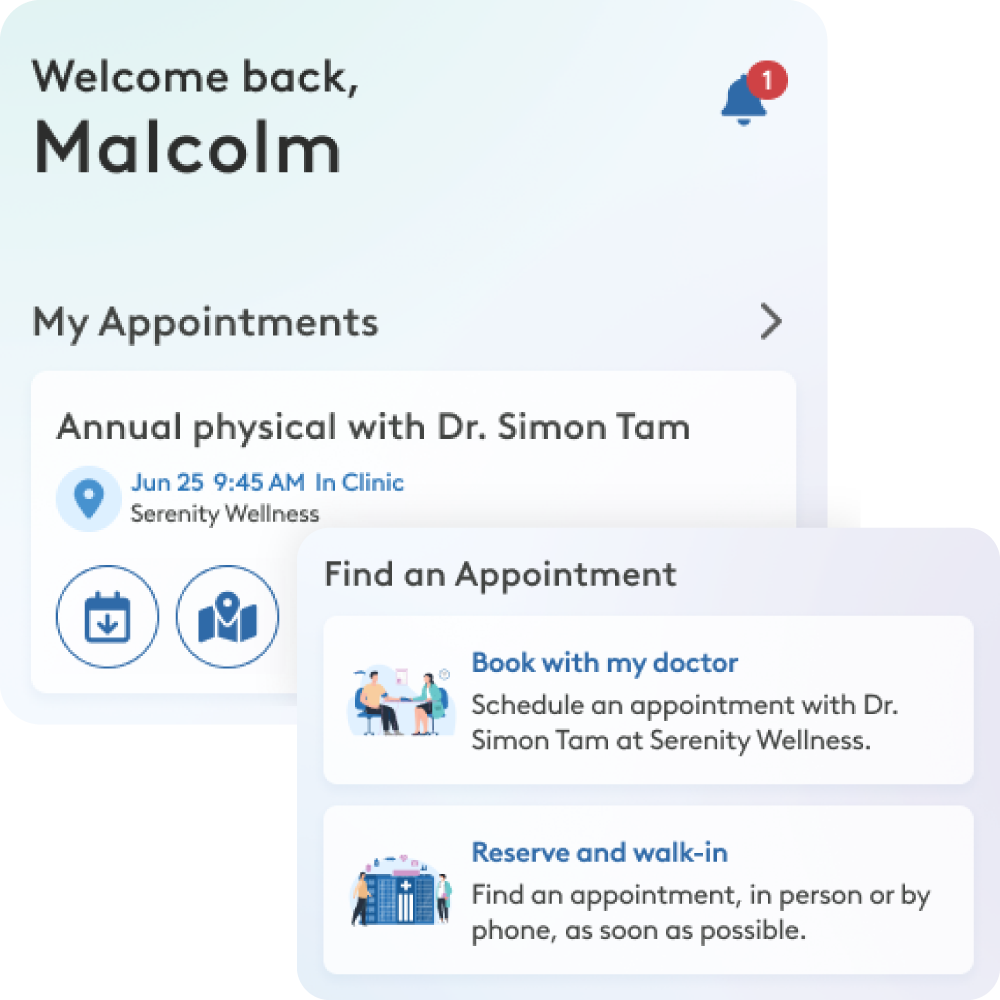
Your care, connected.
The WELL Health Clinic app, powered by YourCare.health(TM), makes it easy to book appointments, complete forms, and stay connected to your care team – all in one secure place.
FEATURES
What you can do
Booking, made easier and simpler.
See upcoming visits, request appointments, and manage your care in just a few taps.
Spend less time waiting
Complete forms before your visit and check in with confidence.
Stay in the loop
Get appointment reminders, check-in messages, and clinic updates right to your phone.
HOW IT WORKS
Getting started is simple
Download the app
YourCare is free on the App Store and Google Play.
Set up your account
Use your email, Apple ID, or Google account. We’ll send a 6-digit code there to keep your account secure.
Add your clinic
Connect participating WELL Clinics locations to keep everything in one place.
Built with privacy in mind. YourCare uses encrypted, Canadian-hosted infrastructure.
FAQ
Need help getting started?
YourCare is the patient app that powers the WELL patient experience. It allows you to book and manage your own appointments at participating WELL clinic locations, receive communication from your clinic, and manage your clinic forms in one convenient place.
YourCare can be accessed in multiple ways:
- Download the YourCare app from the Apple App Store (iPhone) or Google Play Store (Android). You can also sign up on the YourCare website using a computer.
- Open the app or website, and select Sign Up.
- Create your account using your email address, or sign up quickly with an Apple ID or Google ID.
You can log into YourCare in two ways:
- Email login: Enter your email address and we’ll send you a 6-digit code. Enter the code in YourCare to log in. There’s no password to remember.
- Social login: You can also log in using your Apple or Google account.
- This helps keep your account secure while making it easy to access YourCare.
No, patients will only be required to create a single YourCare account. For each additional location, patients can simply add each location to their YourCare profile.
Your data on YourCare is stored securely and encrypted. For additional information, check out our privacy policy at yourcare.wellclinics.ca/privacy-policy.
For any technical questions, you can contact the YourCare support team within the app. Go to Account > Settings > Contact us and submit your comments there.
If you have any appointment, clinic, or health-related questions, please contact your clinic office directly…

You can delete your account anytime from the YourCare app. Go to Account → Settings → Delete Account and confirm your request. Your account will be deactivated immediately and permanently deleted after 60 business days. Please note that medical records and clinic data are not removed, as they are managed by your healthcare provider.
Note: If you delete the app from your phone, your account will not be deleted. You must delete your account from inside the app.